It is now possible to recapture multiple stored traces at once. This requires that there are no changes to the measurement configuration between capture and recapture. This includes not just the tab configuration, but also each measurement engine’s input configuration and its name.
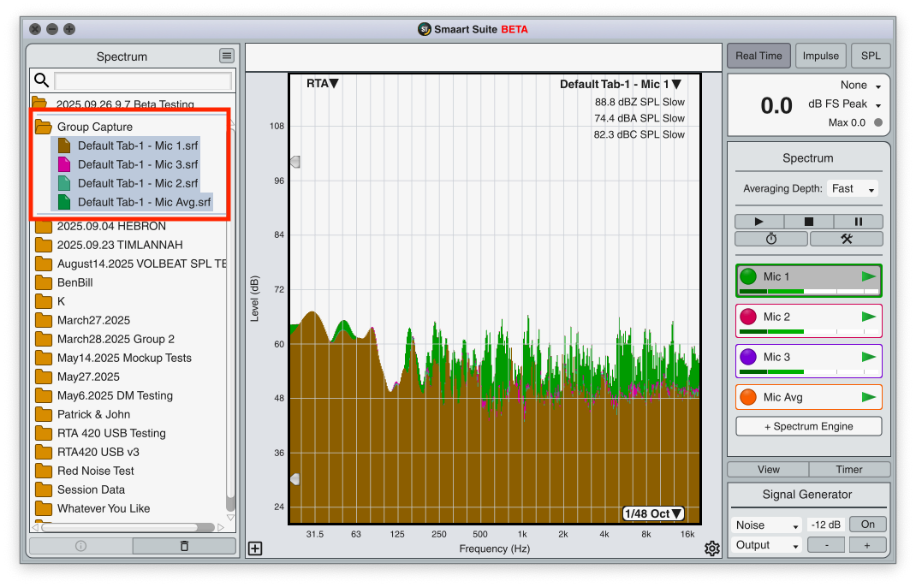
To recapture multiple measurements, simply select the measurements you wish to recapture and then trigger the recapture command (hotkey [Shift] + [Cmd/Ctrl] + [Space]). Alternatively, you can click the data bar’s hamburger menu or assign the recapture command to the Command Bar.
You can also choose specific traces to recapture. If there is a running engine that matches the traces measurement configuration, Smaart will locate that engine and overwrite the previous data from it.
If there is no engine running that matches the traces configuration, Smaart will ignore the request. If there is no running engine that matches the stored traces measurement configuration, a warning will pop-up. And if no measurement is selected for recapture, Smaart will use the front live measurement to overwrite whichever trace is at the top of the data bar (in other words, the way recapture has worked previously).